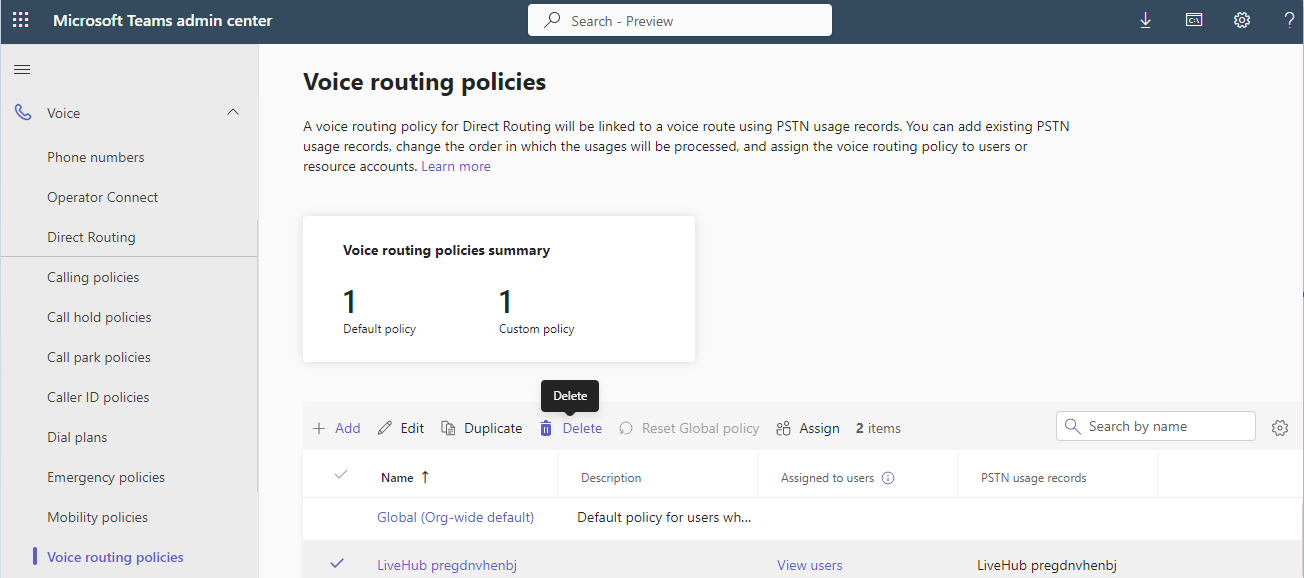
Clean up residual configuration in Teams tenant
Disconnecting Live Hub leaves three items behind in the tenant:
- a domain with the
livehub.audiocodes.iosuffix - a user with the
ump-activation-prefix, holding an Office 365 license - a voice routing policy with the
LiveHubprefix
Delete them by hand. Doing so keeps the tenant tidy, and it is a precondition for connecting Live Hub to this tenant again later.
To remove the residual configuration:
-
Go to the Microsoft 365 Admin Center.
-
Sign in as a user with Microsoft 365 UC administrative permissions.
-
In the Navigation pane, click Show All, and then select Settings > Domains.
-
Remove the domain with the
livehub.audiocodes.iosuffix.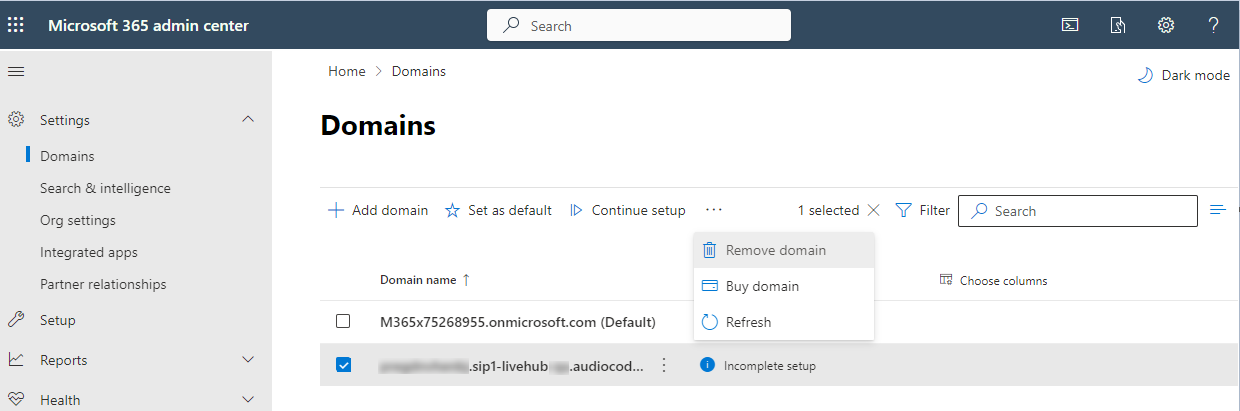
-
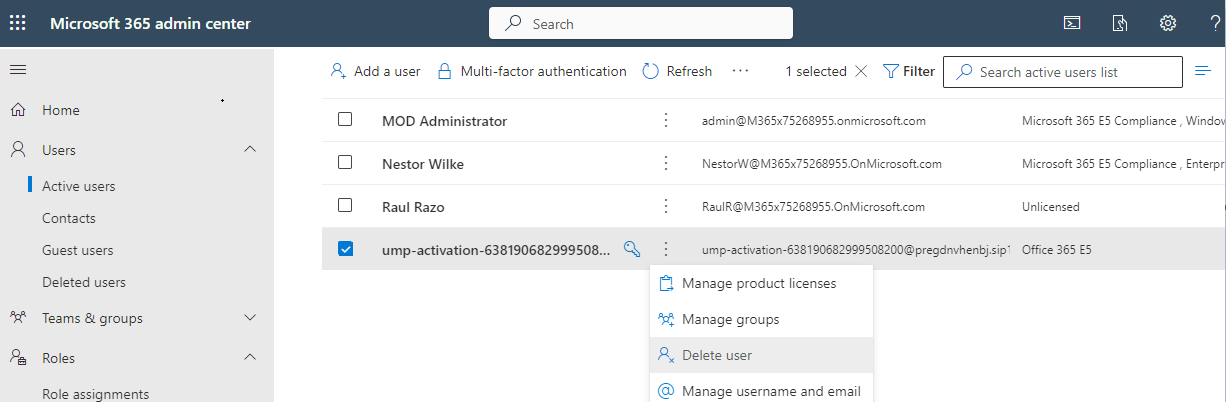
Select Users > Active users.
-
Delete the users with the
ump-activation-prefix. -
In the toolbar, select Admin centers > Teams.
The Teams Admin center opens in a new page.
-
Select Voice > Voice routing policies.
-
Delete the policy with the
LiveHubprefix.